Monday, October 18, 2010

Convert Youtube to other formats

Ever wondered how to play youtube video in your cd player or how to watch it offline?
For those of you who havent explored or asked this question, here is some gyan.

Lot of freeware applications exist (do check their reliability from the reviews) that can take youtube URL (song address) and download it for you to almost any format.

http://www.vidtomp3.com/ Converts the URL in to standard or high quality mp3 file. You can play it strait in your car(Provided you have a mp3 player in your car). Found this site very handy.

Just search for download youtube + format you want and some website will convert it for you withought even downloading/installing any software.

Wednesday, October 13, 2010

Avatar & 3D Technology

I saw Avatar movie after 2 weeks of its worldwide release . I am writing about this movie now because its effects are still alive in my memory and worth blogging.

I wouldnt talk about the storyline of the movie or the facts and figures of the movie. You can read more about it on wiki. I watched it in AMC iMax 3D theater in harahan, Louisiana.

Stunning picture clarity and real to life characters keeps viewers on their toes. visual effects are a feast to every sci-fi movies fan. As James cameroon said, he had to wait close to 10 years as the technology wasnt advanced enough for the making this movie. That wait was worth the wait. This movie also bagged many Oscar awards.


I am sure this was a game changing movie. Future holds lot more innovations towards multi dimentsion movies.

My predictions: In the coming years more and more 3D, 4D movies and other new formats will be made and slowly 2D movies (which are most popular around the world today) may disappear (it may take few decades).

Why am i writing about it after 10 months of its release?
I see 3D technology penetrating in daily life and couldnt help but to blog about it. Here are some of the examples.
  • Televisions that can show any content in 3D format.
  • ESPN boasts a 3D channel.
  • Laptops are available with 3D technology.

    Most of the future display technologies and games will be available in 3D which makes our brain "think" that real life characters are infront of us.
  • Tuesday, August 31, 2010

    Google voice new revolution in how we send receive calls

    I hadn’t imagined the next level of telephoning, although i had seen some glimpses of it when i worked on a voice mail application about 10 years back ;)
    Here is the first cut review of Google voice.
    Google guides us again and competes head-on with others in the business for decades. This time even the telephone carriers around the world may be forced to accept how little services/features they provided and how heavily they charged all of us all these years.

    What’s new in Google voice


    1. Screening spam call:

    Anyone who heard my ringtones must have heard the spooky tone (Everyone asks what’s that for the first time) that’s set specifically for spam calls. Now Google lets me set a specific greeting for such calls including the one that says "I am sorry that number is not in service". Now that’s the right way to treat spams :)

    2. Routing the calls:

    You can route the calls to any number/carrier anytime. That relieves me from changing my number and potentially loosing connection with most of my friends. This is also a big boon for my friends back in India who went back from US. They usually want to have a local number which people here can use to keep in touch with them, but they end up paying for monthly service fee. I haven’t checked this in detail, but it should be possible to link a US number to Indian phone number.

    3. Rignging multiple phones:

    I can have one number that rings all my family numbers(including cell phones and home phones) so that any one can pick it up. Changing them is as simple as a few clicks.

    4. Voice mails as text:

    Set up Google voice and it can send voice mails as a text and a link to its voice. It may be very useful tool to read your voice mails instead of listening if you are busy person in meetings or pubs :) This can also be sent as email. Reply to email can go as SMS.

    5. Customize greetings for each caller:

    You can customize greeting for each caller or group of callers (cool ones for friends and professional one for colleagues and so on)

    6. Conferencing:

    Even if your phone or carrier does not provide options to conference with multiple friends, Google voice lets you do that.

    These were the features that i was impressed with; you may find your own. Check them out at https://www.google.com/voice Telephony industry in on right track now.

    Thursday, February 25, 2010

    Future cars tell you where they are parked.

    One day cars could tell you where they are parked without you needing to remember.

    Background : 5 floors of large parking lot with hundreds of cars often confuses me about where did i park my car. Going home for lunch doubles the confusion as i need to search my car twice. As most of you know during winter basements and parking lots are some of the coldest parts. Its drives you mad searching your car in the cold. I found that I am not the only one to find it hard to remember parking spots after checking with some more people on the way to parking spots. Almost everyone has the same problem once in a while(specially when they are pre-occupied with some thoughts and foget to actively remember where they parked the car).

    I was wondering if we had the technology that could tell me where my car is parked on my iPhone.


    Options: Yes technologies are already existing to achieve some of these. Here are some of them.
  • iPhone app can locate your parked location- This is the closest option for me. Yes this application can tell me only if I tell the app that i parked my car here(need to choose park here in the application). This does not track your car but remembers the location where I marked the location.
  • Your Car lock key can also beep loudly to tell you where it is located. I do have this feature, but if i am far from my car it does not reach the car.
  • OnStar service of GM is another closest technology that can track your vehicle. But no iPhone app or a website to track your car.
  • There are some keychains availavle that can mark the car location just like iphone app. This makes it a little bit easier, but again those compact devices arent yet as reliable and advanced as other GPS devices are.


    Some advanced thoughts...
    If there are 5-10 floors, GPS only marks the location in 2Dimension, so you wont be able to find out the floor where you parked it. There should be some way to figure out the height and map it to the floor number. I am sure some one picks this idea in future and makes a fundo gadget to locate your car.

    Conclusion: Man finds more and more ways to get lazy and handover the thinking to machines/gadgets. This is one of mine. I am sure future holds lot of such smart features in cars.
  • Sunday, September 21, 2008

    Presentation Skills for corportate presentations - Download ppt

    Presentation skill is one of the major must know trait for any higher role in the organization ladder. It also boosts your confidence in multiple areas.


    My Presentation skills
    The time that I have during business wait is very well used in sharpening some of my less confident skills. Presentation is one the major skill that I acquired during this period. Public speaking is an art which can be mastered only over a period of time. Before this my presentations (rather there was no formal presentation till this year) were fairly limited to my project team and contents were limited to the team/project only. Now this new unit exposed me to much larger audience (minimum of 80 employees) and i was the first one to cash the opportunity. I started organizing some regular presentations and there by i got an opportunity to address everyone for a small duration. It slowly built the confidence even to talk on some surprisingly new topic to fill the time gaps.

    Presentation download
    There are 101 things to talk about presentation. Find many of them neatly organized in the PowerPoint slide show. You can Download and use the following presentation if you would like to give a presentation on "Presentation skills".

    Off track story
    Presentation skills come naturally to teachers or should i say some teachers are very bad at presentation?? It reminds me of all my teachers of early childhood and their impression on me. Although I never thought I would ever write on one of them after nearly 20 years there was one very bad point that I would like to high light. One of my teachers constantly used to uplift his trouser at least once every minute (Fun apart; he was excellent in science experiments and use to make firecrackers himself with raw materials). Any presenter who is in the eyes of public should mind these small gestures; else they become a reason for imitation and laughter.

    Conclusion:
    Corporate presentation skills are a must for every manager or any one who faces clients. Your investment of time to acquire this skill will not go waste. It will take you a long way for the rest of your life.

    Friday, August 01, 2008

    Recession time - When the going gets tough, toughest gets going

    With many people on business wait for more than 6 months in most of India IT service companies, they are bound feel the sharks circling around them sooner or later. Lets access the situation.

    Economies are down globally, which means limited funds are available for IT expenditure. As a result Some projects get canceled and others get delayed. This situation affects every stake holder of the projects.

    When employees are working for projects they are hammered all the time with work. When they come to business wait most of them spend time time aimlessly. Companies spend great amount of money to keep the team united and up-to-date. In the times of tight situations the incompetent employees get elbowed out by their unhappy managers. fair enough for the companies., To be in business they need nurture the best of the talents and get rid of the weeds.


    Here is a list of things that you can do to utilize this precious time.

  • Get Trainings - Check your company's training calendar and attend every possible training thats useful for your career.
  • Get certifications - what better time to study & take those pending exams than this free time? You are going to get paid while you learn.
  • Volunteer for Internal projects - Most people disregard internal projects(they can be dummy projects too), but they are the best ways to
    1. Keep in touch with technology
    2. Switch to a new technology
    3. Trying out new roles and responsibilities.

  • Work as shadow resources - You may not generate revenue for the organization, but you can surely become one dependable resource for the project in the times of need.
  • Volunteer for organizational initiatives - Some initiatives like recruitment drives or Road shows need volunteers, if you are experienced in that, jump in and make a difference.

    This list is also useful to defend how you utilized your time during business wait. If you have used this time to your advantage, the business wait can be a boon to boost your career with new roles and responsibilities.
  • Wednesday, June 18, 2008

    Firefox 3 - Be a part of Guiness world record

    FireFox 3 is here. Mozilla wants to create a guinness world record. More than 7 million are already downloaded. I haven't explored the plug-ins or other features yet.

    Although i have affection for Internet explorer and most of Microsoft products ;) I do like to explore and compare other products. I found was that FireFox has definitely become better compared to its previous versions (yes i have tried version 2 also)
    http://www.spreadfirefox.com/en-US/worldrecord
    Go ahead, download and be a part of the guiness world record.
    checkout how this blog looks on mozilla firefox 3.


    Although this blog had perfectly fine layout,
    Kannada greetings website was slightly different from how it is in IE (FireFox isn't looking good).That's fine, we have a better performance compared to Internet explorer in FireFox which is the best reason to download. Rest of the new features you can read on its features site. I might post again when i explore some new plug-ins.

    Tuesday, March 18, 2008

    PMP - A certification for Project Managers.


    Its been a long time I sat down and studied something seriously. Its time to get certified again. PMI (Project Management Institute) is the de facto standard in Project Management methodologies.
    PMP is a certification offered by PMI after a rigorous test of PM methodologies. So I am heading towards PMP certification. My time starts from 13th March 2008, Saturday. Target it to complete in 2 months that’s 13th May 2008.
    In addition to MCSD and Six Sigma+ I am sure this certification will become another feather in my cap.

    Henceforth a few blog posts will be dedicated to many topics related to project management methodologies. I am sure this will also serve as a quick reference.

    I am refering PMBOK Guide by PMI, Project management Jump Start, and Head first PMP.
    I will write a review of these books when i am done with them.

    If you are interested in sharing your experiences of PMP feel free to post comments at the end of this post. I would love to share my experiences.

    Glossary related to PMP


    BAC= Budget at completion.
    CPI= Cost Performance Index.
    CV= Cost varience=EV-AC.
    ETC= Estimate to completion.
    EAC= Estimate At completion.
    EV= Earned value - Budgeted amount of work actually completed on WBS.
    PV= Planned value - Budgeted cost per WBS scheduled to be completed.
    SPI= Schedule Performance Index

    SV= Schedule varience=EV-PV.

    Tuesday, June 26, 2007

    Sony Cybershot DSC-N2 Review - Migration from 3 to 10 MP

    Sony Cybershot DSC-N2, Review of a versatile, lightweight, compact and easy to use camera that comes in attractive champagne color. I have tried 2 other Sony models in the past, this model clearly out performs all cameras i tried before.

    Some of the things i had in mind while considering this model - Sony DSC-N2


    1. Awesome 10 Mega pixels - there are very few brands that have compact cameras with 10MP. There are 12MP models in the market too, Most of them are too expensive and for professionals.
    2. Sony Brand - As almost (well i think so) every one agrees that Sony is a reliable and one of the best in electronics brand.
    3. Huge 3" touch screen LCD adds to the fun - some one said on the net that "LCD works like citi bank ATM".
    4. Whole bunch of features - I am a geek and like all fundo features being packed in such small devices read more at http://www.sonyindia.co.in/index_n2.html
    5. Battery life - 300 to 400 photos can be clicked.
    6. Market review of camera.
    To read more about the camera go the product site

    My old camera is in fully working condition as it was 3 years back.
    I had a Olympus C-310 model a 3.2 Mega pixel camera bought in Sept 2004.


    Some of the considerations that made me change the camera are
  • Batter life was very limited 10-50 photos only (of course it depends a lot on the batteries used)
  • There was a 2-8 seconds delay after clicking a photo. This is one annoying thing.
  • Audio wasnt there, and videos almost doesnt make any sense without audio.
  • No connectivity to TV.
  • Video captured wasnt almost like VGA mode, and wasnt of good enough quality to share.
  • It has 3 Mega pixels and now you dont find cameras with less than 5 Mega pixels.(Ah.. technology changes so fast..)
  • Evening or night mode photos were not acceptable.
  • Small LCD.
  • No slide show opion.. had to browse through the photos manually.

    When I bought this camera it was one of the best looking, highest mega pixel camera in the market and was in the budget that was about $400 including a 128MB XD memory card). But over a period of three years i had started missing above listed features.
    Its was high time i changed my 3Mega pixel camera with a new one.


    Bargain tips
    * Ideally wait for some bargain time like new year, christmas, thanks giving etc to buy anything at great prices.
    * If you are in hurry, still check some sites like deals2buy.com, froogle.com and other favorite sites of yours and compare prices.
    * Checkout taxes and shipping cost.
    * Ask your friends who make lot of research on prices (they will be more than happy to share their experiences).

    I bought 4GB memory stick and additional battery throught amazon.com


    All photos (well almost) that you saw on my blogs so far were clicked by this camera. Probly Niagara trip was its last journey with me.

    -- My wishlist of features ---
  • Shockproof (most cameras are)
  • Waterproof
  • Projector
  • High definition video recording
  • DSLR quality pics
  • About 20X optical zoom

    And all these features...i still want my compact camera :) Technology...Show me the way...
  • Tuesday, May 01, 2007

    Technical Glossary

    This is an extension of my previous article Shortfoms of communication. This time you will see a technical terms & abbrevations also referred as glossary. This is an effort to consolidate some of the technical shortforms that we come accross. Almost all these terms are related to project management and other terms related to software industry.


    AD - Activity Description
    ADM - Arrow Diagramming method
    ADSL - Advanced Digital Subscriber Line

    BAC - Budget On Completion
    BIOS - Basic Input/Output System
    Blog - web log. Just like this one
    BMP - BitMaP - A windows file format to store images.
    BRM -Build and Release Management

    CDM - Conceptual Data Model
    COQ - Cost Of Quality
    CPM - Critical Path Method
    CPI - Cost Performance Index
    CR - Change Request
    CSS - Cascaded Style sheets
    CSV - Comma Seperated Values

    DB - DataBase
    DBMS - DataBase Management System
    DFD - Data Flow Diagram
    DHCP - Dynamic Host Configuration Protocol
    DNS - Domain Name System.
    DSL - Digital Subscriber Line.
    DVD - Digital Versatile Disc or Digital Video Disc

    EDD - External Design Document
    ER(Diagram) - Entiry Relationship Diagram
    ERP - Enterprice Resource Planning
    FTP - File Transfer Protocol

    GIF - Graphics Interchange Format - One of the earliest image formats
    GPL - GNU General Public License

    HTML - HyperText Markup Language
    HTTP - HyperText Transfer Protocol

    IT - Information Technology
    JAD - Joint Application Design

    LDD - Local Delivery Desk
    LTV - Loan To Value

    MCAD - Microsoft Certified Application Developer
    MCP - Microsoft Certified Professional
    MCSD - Microsoft Certified Solutions Developer - a Certificaiton by Microsoft

    OOPS - Object Oriented Programming System

    PERT - Program Evaluation & Review Technique
    PMI - Project Management Institue
    PHP - PHP Preprocessed Hypertext programming ??

    PL - Project Lead
    PMI - Project Management Institue
    PMP - Project Management Professional
    PR - Permanet Resident (US)
    PR - Page Rank (Google)
    PR - Public Relations (Marketing)

    RAD - Rapid Application Development
    RDBMS - Relational Database Management System

    SAM- Security accounts Manager
    SSAD - Structured System Analysis and Design
    SOW - Statement Of Work

    TBD - To be done
    TDD - Technical Design Document
    TL - Team Lead
    TPM - Thought process Map

    UML - Unified Modeling Language

    WBS - Work Breakdown Structure.

    Do share the other terms that you came accross by commenting on the topic. I will also add them as a part of the topic.

    Monday, February 26, 2007

    .net session timeout settings in IIS6 on windows 2003 server

    Does this sound simple web.config setup?
    Nope this is way beyond that newbie configuration.

    Problem: We were facing timeout issue on one of our servers. Web.config settings had no effect on the time out.

    Note: In all screen shots pink color is hiding the actual server details.

    Solution:
    So here are some more interesting findings related to timeouts of sessions in IIS6 hosted on a windows 2003 server. You may need to change one or more of these setups in your server according to your setup.
    There are totally 5 setups that influence your timeout. All of those are discussed here.
    1. Web.config file of Application: First one to influence timeout is Session timeout setting in your we.config file.


    Note: Web.config file is inherited to the subfolders and subfolders config settings take the precedence in case they exist.

    2. Application session timeout in IIS:
    Go to IIS, right click on the web application, go to properties. Go to Directory tab, click on Configuration button. Application configuration tab opens, click on Options tab as in the screenshot, you will find enable session state. Change the session time out period here.


    3. Default website session timeout in IIS: Right click default web site under IIS and choose Home directory tab. Click on configuration button to open application configuration. Choose options tab and you will find Enable session state again similar to session state of each application. Enter higher session timeout period which will be application to all sites in the webserver.


    4. Change Worker process idle timeout of application pool – Shutdown worker process after being idle for (time in minutes) – Default is 20 minutes. This setup is applied for all websites that use this application pool. To change this, Right click on the required application pool, choose Performance tab, and change the duration of idle time or uncheck the option so that the process is never recycled. You can also create an application pool, configure it, and use it for a selected list of web applications.


    5. Change Recycle timeout period of application pool: Right click on application pool or default application, and choose Recycling tab. Change the “Recycle worker process (in minutes)” option to either change the period or disable the option by un checking. Un checking this option may be a good idea from performance point of view.


    And finally there is a last one in machine.config file. But that does not affect any of these configurations and these setups take the precedence.

    Let me know if you have any timeout related issues. Lets share.

    Tuesday, January 09, 2007

    .net - Error while trying to run project: Unable to start debugging on the web server. The project is not configured to be debugged

    Running or debugging a ASP.net web application from visual studio.net throws following error.

    "Error while trying to run project: Unable to start debugging on the web server. The project is not configured to be debugged."

    Reason: .net web application is converted in to a directory by IIS when its renamed or copied from other location
    Resolution : Change the directory back to application with these steps

    1. Go to IIS management tool Choose select your virtual dir.
    2. Go to Properties of the virtual directory by choosing Properties from right click menu.
    3. In the Properties dialog box, click on the Create button.


    Thanks Tim for that tip.

    Monday, January 08, 2007

    Happy New Year 2007

    I Wish all my visitors and their families a very happy and prosperous new year.
    codebase="http://download.macromedia.com/pub/shockwave/cabs/flash/swflash.cab#version=6,0,0,0"
    WIDTH="648" HEIGHT="429" id="new year" ALIGN="">
    TYPE="application/x-shockwave-flash" PLUGINSPAGE="http://www.macromedia.com/go/getflashplayer">


    View Full screen

    My new year resolution related to blogging - I am going to blog on technical topics at least once every fortnight.

    How about yours?

    Monday, October 30, 2006

    Build Your own toolbar By Conduit

    A classic example by Conduit about customizing and packaging existing things in to a resourceful product.
    This product helps you build your own toolbar with your links and images that you can share with your friends and customers. Take a look at a sample toolbar created.


    I still remember those days when i tried myself creating such a toolbar and there was hardly any documentation about how to do it. Now even a newbie can create a toolbar and for free.

    These small utilities add value to your website(s). Here is a list of few features offered by this toolbar.

  • Offer one click access to your websites/blogs and other resources to your loyal customers.
  • Shows your site to your customers as long as they're online. Host of other services like Chat, Weather, Radio can be plugged in to this toolbar.
  • Chat with other users who have the same toolbar installed.
  • Add Contact Us link and the feedback about the toolbar is sent to you as an email.
  • Add search capability to your toolbar just like google toolbar and choose the search engine too.
  • You can set up your mail boxes and Get notified when you receive new e-mails to your POP3, Yahoo!, Gmail, or Hotmail accounts

    I created a toolbar for my blogs and website. Take a look at it and feel free to use it. Its free from adware, spyware and promotional stuff.
    http://sanjaykattimanisblogs.myblogtoolbar.com
  • Monday, October 09, 2006

    Tintucso virus, removal


    Tintukso virus - Very little is known about this virus as of now. It comes to you through Yahoo messenger as a link when one of your friend’s pc gets infected. Once you click the link, it installs itself at attaches itself with the OS to keep you bugging :d It sends the link to all your active contacts once it infects. This was found (on a friend's pc) just today, 09th October 2006.

    Symptoms
  • You cannot change your homepage (options for changing homepage are disabled).
  • You cannot launch regedit; PC re-boots as soon as you try to edit registry.

    Cause
    Virus/trojan not yet explained in detail on the net yet. it sends a message saying test the site and shows up the folowing url
    http://tintucso.com/luke/
    Please do not launch the above url unless you have a good firewall and antivirus (and enough courage to open it).

    My official PC categorized it as a dating/unwanted site and blocked it. Didnt take a chance on my Home pc.

    Remedy
  • Scan with your antivirus or adware , if it can detect it; chances are that it will also clear it.
  • If above fails, on a windows box, restore your PC to the last known good configuration. here are the detailed steps to restore your operating system on a XP system.
    http://www.microsoft.com/windowsxp/using/helpandsupport
    /learnmore/systemrestore.mspx


    Update from Symantec as on 12th October 2006
    Symantec Japan has confirmed the virus and documented the details of the virus here
    http://translate.google.com/translate?
    hl=en&sl=ja&u=http://www.symantec.com/region/jp/avcenter/
    venc/data/jp-w32.imaut.b.html&sa=X&oi=translate&resnum=4
    &ct=result&prev=/search%3Fq%3Dtintucso%26hl%3Den%26lr
    %3D%26rls%3DGGLG,GGLG:2006-26,GGLG:en


    Thanks Arvind for your valuable feedback on this virus.

    I shall keep updating this post with the new findings on the virus.

    Have a safe computing :)
  • Saturday, September 30, 2006

    Orkut – Googles answer to Yahoo 360 degree and Hi5


    Orkut Google comes up with its awesome rival product to yahoo 360 degree, Hi5 and lots of other such network building portals. If you do not know about yahoo 360 degree and hi5 read my previous article on yahoo 360 degree and hi5.
    As usual google has come up with a crisp strait forward and intuitive interface compared to any of its competitors.
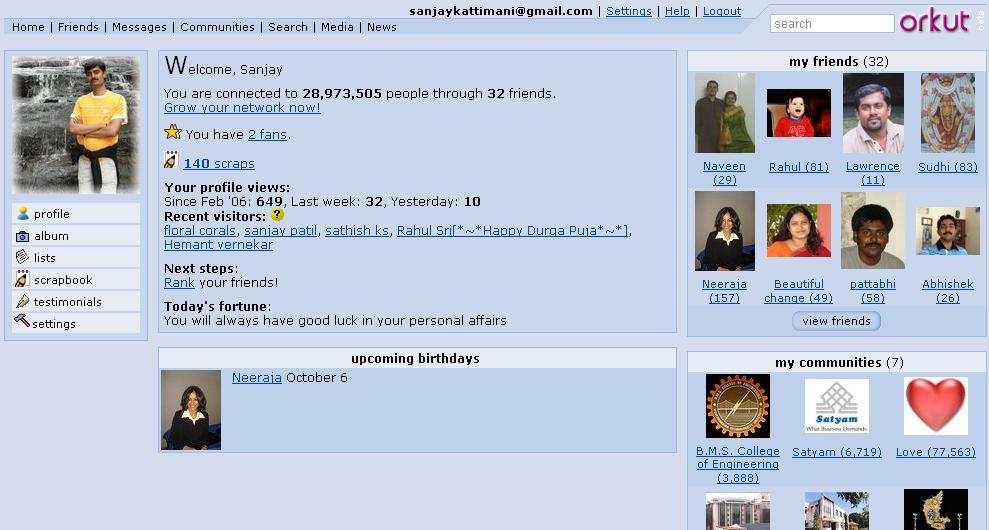
    You can build network of your friends and view their network too. All your visits to other’s orkut page are tracked and they know who came to their site.


    Some cool features of Orkut
  • Orkut testimonials option lets your friends write about you. This feedback is shown to all your visitors.
  • Orkut scrapbook is like your note pad where others can write messages for you. Scrap book is the most common option that everyone uses to talk to each others.
  • Orkut private messages can be sent your friends individually or to the whole group.
  • Orkut birthday alarms informs you about birthdays of your friends in your network (so you wont miss any one whos on your network).
  • Orkut rating lets you rate your friends how trusty, cool and sexy they are ;) In addition you can declare yourself as a fan of your friend(s).
  • you can export list of your friends to excel (CSV) format.
  • Recent visitors to your orkut home page. It gives you clickable profile link.
  • Orkut album lets you add your photos to share with your friends on your network.

    Orkut works on invitations, so some one needs to invite you to create an account in orkut. Ask me for a free orkut invitation.

    How to Log in to orkut in invisible mode
    I am finding lot of people coming to this post searching for logging in to orkut in invisible mode, so thought i will add a few words on this topic too.

    1. If you'd like to check out orkut members anonymously, you can prevent other users from knowing you looked at their profile by visiting http://www.orkut.com/Settings.aspx and checking "Disable Profile Visitors."

    Note that this will also prevent you from seeing who has viewed your profile. To add this feature back to your profile, you will need to allow orkut members to see that you have viewed their profile by un-checking "Disable Profile Visitors" in your settings.

    2. You can create a another temporary id which should be used only for browsing invisibly. Do not add any of your friends or yourself to this new id. do not accept any friends and you will remain anonymous. Others who see this new id on their recent visitors list, can send you message. But its up to you to decide whether to reply/ignore or delete.

    There are lots of groups like orkut India, orkut Satyam etc, virtually every possible group. You can create your own and participate in the discussions and events.
    Visit my orkut page at http://www.orkut.com/Home.aspx?xid=10672691803081804255

    Have a great bonding with your friends :)
  • Sunday, June 11, 2006

    How to create, write and promote blog?

    How to blog?
    In my last post I wrote about why one should blog (its advantages) Lets see how you should begin writing your blog.

    Before you begin
    • Prepare a theme for your blog and have a few topics around that theme. It could be anything from your hobbies to day-to-day happenings in your city.
    • Research and read about what others have written on the same topic before you begin.
    • Take a look at few blogs to get an idea of different templates available.

    How to create your blog
    • Choose a good site where you want to blog. List of them with some reviews are listed at http://weblogs.about.com/od/weblogsoftwareandhosts/a/topfreeblogs.htm my personal recommendation is blogger offered by google and is free (You can be sure that it will not popup or add ugly advertisements).
    • Register yourself to create an account and a blog.
    • Choose the template that matches your tastes from list of available templates. Most of them also let you customize with your own html code (you can tweak it if you know else don’t bother default templates are good enough)
    • Create your first post on the blog. Use html codes whenever necessary.


    What to write.
    • Have a theme of your blog and let the topics be around that theme, so that people come to your site repeatedly if they are interested in similar topics.
    • Try to keep it brief and effective but there are really no rules.
    • Although you are free to say whatever you want, remember that you are accountable for what you say.


    How to write effective blog
    • Add pictures as applicable. They speak out lot more than what words can describe.
    • Enable comments in your blog to get feedback from users.
    • Enable user verification - This helps lot of automated Spam comments getting added to your blog.
    • Blogs are meant to be fun, so write with passion and everything else will fall into place.
    • Use bold, italic and other text formatting to highlight the importance of certain contents.
    • Blog regularly – ideally few times a month. More the content, more visitors, at the same time do not disappoint your visitors with contents available on other site/blogs.


    Now created/have a blog. What Next?
    • Add counters to keep track of visitors of your blog.
    • Promote. Add link to your blog in your email signatures.
    • You can add advertisements to your blog to earn residual money.


    What are you thinking? Jump start and make you presence felt. Happy blogging.

    Wednesday, June 07, 2006

    Blogging & its Advantages

    What is a Blog?
    weblog (usually shortened to blog, and occasionally spelled web log) is a web-based publication consisting primarily of periodic articles, most often in reverse chronological order.” – wikipedia

    Blogging is the act of writing in one's blog.
    A person who keeps and/ or writes a blog is called Blogger.

    Blog


    Advantages of blogging

  • Voice
    This is the simplest, easiest, quickest and most affordable way to share your voice/opinion/ideas with your audience.
  • Information Sharing
    Sharing your learning is the essence of blogging. Most people (i do) research on the topic before blogging, which extends their learning on the topic.
  • Reach
    Blogging lets you reach people worldwide from person sitting next to you to person sitting on the other part of the world.
  • Expressing
    You can express your views on everyday topics like politics, music, technology, hobbies or movie reviews. The list of topics is endless.
  • Knowledge management
    Blogs can be used to as an extremely effective knowledge management tool. You can keep your posts well documented for years to come.
  • Instant feedback
    People give you instant feedback on your posts (also called articles of the blog) which helps you refine your understanding on the topic.

    In my next post i will discuss on how to create, write and maintain a blog.
  • Tuesday, May 23, 2006

    PMP - Project Management Professional course.

    Ravi’s insightful views helped all of us to get broader perspective about project management and the path ahead.
    Another advantage of being in larger companies like Satyam.
    Company helps you to get certified.

    Whats the significance of PMP?
    It means to current and potential employers that you have demonstrated a solid foundation of knowledge from which you can competently practice project management.


    Our group that finished project management workshop.

    Some Facts related to PMP
  • Named as one of the top 4 certifications for 2006
  • Has more than 120,000 certified members in more than 135 countries, 75,000 + PMPs till September 2004
  • PMBOK is the globally recognized bible to prepare for PMP exam.

    Faqs related to PMP http://www.pmi.org/prod/groups/public/documents/info/PDC_Cert_FAQ.asp
  • Tuesday, April 25, 2006

    Yahoo - Stealth settings

    Stealth setting is an option in Yahoo messenger that lets you choose whether you want to appear online or offline to a person or a group of people. Its essentially appearing invisible to selected people.

    Why this option needs a mention in this blog:
    This is one of the most useful and also one of the most under-utilized option of yahoo messenger (one of the top 3 most popular instant messenger in the world, and my favorite)

    Why should we use it:
    Most people log in to invisible mode when they dont want to be disturbed by a few of their friends.
    IMO ...
  • when you are invisible (and when your friends know that you are logged in) all your frineds think that you are hiding from them, but you may be trying to avoid only one or two of them. This is a typical case where you should use stealth setting.
  • When you are in office, typically you want to appear offline so that your friends do not buzz u often. And also you will inform all your good friends that they can still ping you. This is again another situation where you should be using stealth setting instead.

    How to use it:
    Create a group and move all your less important and disturbing friend to this group. Set the stealth setting so that you appear offline to all these people. You can still see them being online. You can intitiate a chat with them when you want to. Life should be much easier with them.


    Some tips:
  • Use stealth setting to keep those disturbing friends aside (i could be one of them )
  • Keep in touch with rest of your friends effectively by appearing online.
  • Use busy or other status when you want to convey your status.
  • Use voice or video chat when ever required/possible.
  • When some one is on SMS, do not expect a reply immediately as they may not be able to reply from they cellphone as fast/frequently as messenger.